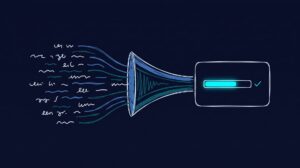
Yes, you can connect market research directly to Claude and ChatGPT. The bridge is MCP, the Model Context Protocol, an open standard that lets an AI assistant call an external data source for live information[1]. Once a market research MCP server is connected, you type a question about your audience into the same chat you already use, and the assistant pulls back a grounded answer, no dashboard, no CSV export, no waiting on a research team’s calendar.
This guide walks through what that connection actually is, how to set it up in both Claude and ChatGPT, and what kinds of questions are worth asking once it works.
What MCP Actually Connects
MCP, introduced by Anthropic in late 2024, solves a boring but expensive problem: before it, every AI assistant needed a custom, one-off integration for every data source[1]. MCP replaces that with one standard way for an assistant (the “client”) to call an external service (the “server”). Within roughly a year it grew into an ecosystem of more than 10,000 public servers, and in December 2025 its governance moved to the vendor-neutral Agentic AI Foundation under the Linux Foundation[2].
For market research, the server on the other end holds your audience data. In the case of neuroflash, that server exposes Digital Twins: AI-driven profiles grounded in real survey data that answer the way actual audience segments would. You can go deeper on the concept in our Synthetic Audience MCP Server pillar.
What this means for your team: MCP is not a neuroflash-only feature. It is the same standard that connects Claude and ChatGPT to CRMs, analytics, and dozens of other tools, which is exactly why market research fits into it so cleanly.

Connect a Market Research MCP Server to Claude
Claude supports MCP servers in two ways, and which one you use depends on whether the server is remote (hosted) or local.
For a remote, hosted server like a cloud market research service, the fastest path is the connector panel. In Claude, open Settings, then Connectors, click the plus button, choose “Add custom connector,” give it a name, and paste the remote MCP server URL[3]. Claude will walk you through authentication, usually an OAuth login to the service.
For a local server, Claude Desktop reads its configuration from a file called claude_desktop_config.json, and the easiest way to reach it is Settings, then Developer, then Edit Config, which opens the file and creates it if it does not exist[4]. Each server gets one entry under the mcpServers key. After any config change you have to fully quit and restart Claude Desktop for it to load[4].
What this means for your team: for most research use cases you want the remote connector route, because it is a paste-a-URL-and-log-in flow rather than editing a JSON file. For a full walkthrough with the exact fields, see our Digital Twins MCP: Setup & Quickstart guide.
Connect a Market Research MCP Server to ChatGPT
MCP is an open standard, not a Claude-exclusive one, and OpenAI has adopted it in ChatGPT through developer mode and custom connectors[5].
The setup has two parts. First, developer mode has to be enabled: in a workspace, an admin toggles it on, and individually you go to Settings, then Connectors, then Advanced, and turn on developer mode[5]. Second, you add the server: in Settings, then Connectors, choose to add a custom connector, paste the MCP server URL, and authenticate[5]. To use it in a conversation, open a new chat, click the plus icon in the composer, and select your connector as a data source.
One important constraint: ChatGPT only supports remote MCP servers, meaning HTTPS endpoints reached over the network, not local ones[5]. A cloud market research service like neuroflash Digital Twins is remote by design, so it fits this requirement directly.
What this means for your team: whether your team lives in Claude or ChatGPT, the same market research MCP server is reachable from both. You are not locking into one assistant.

What to Actually Ask Once It Is Connected
The connection is only useful if you ask the right things. The strongest questions are attitudinal and preference-based, where grounded synthetic audiences perform best[6]. A few examples worth trying:
- “Which of these three headlines resonates most with budget-conscious parents aged 30 to 45, and why?”
- “How would sustainability-focused Gen Z consumers react to this product claim?”
- “Rank these four value propositions for a mid-market B2B software buyer.”
- “What objections would this landing page raise for first-time buyers?”
What this means for your team: treat the connected assistant as a first-pass audience check you can run in seconds, not a replacement for every stage of research. For a wider view of the tools in this space, see our roundup of the Best MCP Servers for Marketing / Market Research, and for how neuroflash compares head to head, see Best Digital Twin MCP.
How neuroflash Digital Twins Power the Answer
When you connect neuroflash through MCP, the data behind every answer is what matters. neuroflash Digital Twins are audience profiles built on more than 1,000,000 real human survey profiles, not a generic model asked to role-play a persona. That grounding is what lets neuroflash reach 80 to 90% prediction accuracy on audience response testing, compared with roughly 55% for generic AI tools guessing without real data behind them.
Our principle is simple: we predict, we don’t guess. Every response traces back to real profile data, which is what gives teams Decision Security, the confidence to commit budget because a concept was tested against a grounded audience rather than because it sounded plausible in a chat. Results come back in minutes, not the weeks a traditional study takes. neuroflash is made in Germany, GDPR compliant, and hosted with EU data residency, and Digital Twins are available both inside the neuroflash app and through API and MCP.
Bring Digital Twins Into Your Workflow
neuroflash makes its Digital Twins reachable from Claude, ChatGPT, and any other MCP-compatible assistant, so your team can validate ideas without leaving the chat window. The fastest way to understand it is to connect it and ask a real question.

FAQ
Do I need to be a developer to connect a market research MCP server?
No. For a hosted service, connecting is a paste-the-URL-and-log-in flow in the Connectors settings of Claude or ChatGPT. Editing a JSON config is only needed for local servers, which most research use cases do not require.
Does this work in both Claude and ChatGPT?
Yes. MCP is an open standard, and both Claude and ChatGPT support custom MCP connectors, so the same market research server is reachable from either assistant.
Is the data real or is the AI just guessing?
With neuroflash, responses are grounded in more than 1,000,000 real human survey profiles, so answers trace back to real data rather than a model improvising a persona.
Can ChatGPT connect to a local MCP server on my computer?
No. ChatGPT supports remote MCP servers only, meaning HTTPS endpoints over the network. A cloud service like neuroflash Digital Twins meets that requirement by default.
What should I do after changing the config?
In Claude Desktop you must fully quit and restart the app after editing the config file, otherwise the new server will not load.
Bottom Line
The value of connecting market research to Claude and ChatGPT is not novelty, it is friction removal. A research tool that lives behind a separate login gets used occasionally. One that answers inside the chat window your team already lives in gets used constantly, and constant use is where the payoff of fast audience validation actually shows up. Set it up once, ask real questions, and treat the grounded answer as your first filter before you spend real budget.
Sources
[1] Anthropic (2024): “Introducing the Model Context Protocol.” https://www.anthropic.com/news/model-context-protocol
[2] Model Context Protocol Blog (2025): “One Year of MCP.” https://blog.modelcontextprotocol.io/posts/2025-11-25-first-mcp-anniversary/
[3] Anthropic (2026): “Get started with custom connectors using remote MCP.” https://support.claude.com/en/articles/11175166-get-started-with-custom-connectors-using-remote-mcp
[4] Anthropic (2026): “Getting Started with Local MCP Servers on Claude Desktop.” https://support.claude.com/en/articles/10949351-getting-started-with-local-mcp-servers-on-claude-desktop
[5] OpenAI (2026): “Developer mode and full MCP connectors in ChatGPT.” https://help.openai.com/en/articles/12584461-developer-mode-apps-and-full-mcp-connectors-in-chatgpt-beta
[6] Argyle, L.P., Busby, E.C., Fulda, N., Gubler, J.R., Rytting, C., Wingate, D. (2023): “Out of One, Many: Using Language Models to Simulate Human Samples.” Political Analysis. https://arxiv.org/abs/2209.06899